
When You Want to Know the Meaning Behind a Korean Name
Korean names, place names, restaurant names, and other expressions are often written in English using their Korean pronunciation rather than their actual meaning.
Korean also contains many words derived from Chinese characters (Hanja). These words can be used on their own or combined with other words to create names, signs, place names, and brand names. When they are written in English based only on their Korean pronunciation, the original meaning may not be clear to international visitors.
For example, a word such as “교자” may be transliterated by pronunciation, but simply seeing its romanized form does not necessarily tell a visitor what the word means.
Even when using a translation tool, the exact meaning or context of a Korean proper name may not always be clear.
How Seoul Travel OCR Helps
Take a photo of the Korean text with Seoul Travel OCR and use the recognized Korean text to search Google.
This allows you to discover:
- What the Korean word or name means
- What it refers to
- Whether it is a place, food, brand, or other name
- Additional information and context about the word
Use Seoul Travel OCR when you want to understand what a Korean name actually means — not simply how it is pronounced in English.
How to Use Korean Image Search
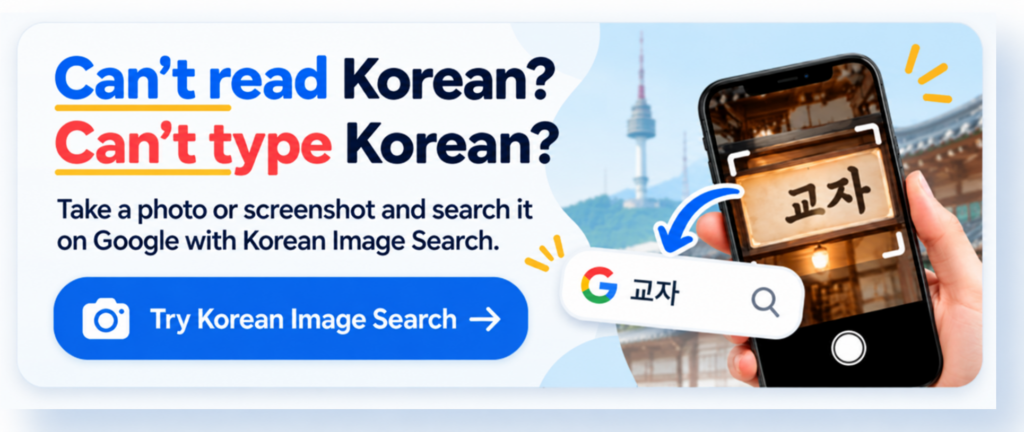
Step 1) Open Korean Image Search
Click the image below to open Korean Image Search.
Step 2) Upload a Korean Image
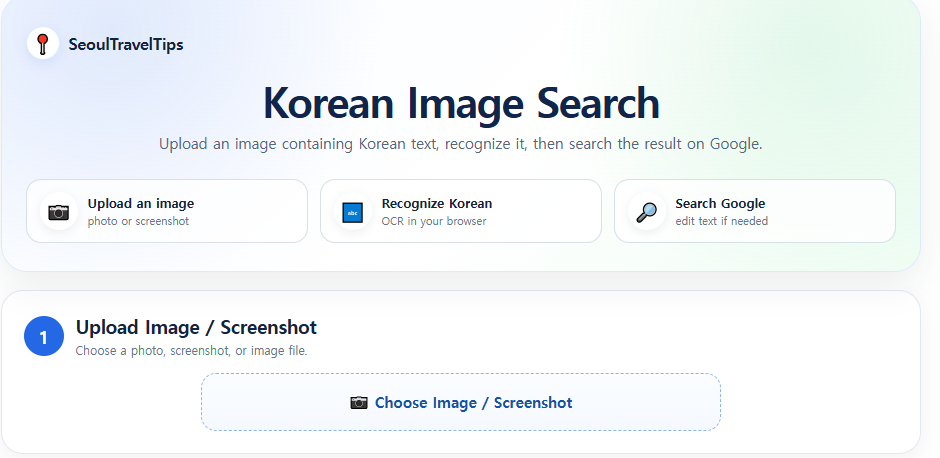
Click Choose Image / Screenshot and upload a photo or screenshot containing Korean text.
Step 3) Recognize the Korean Text
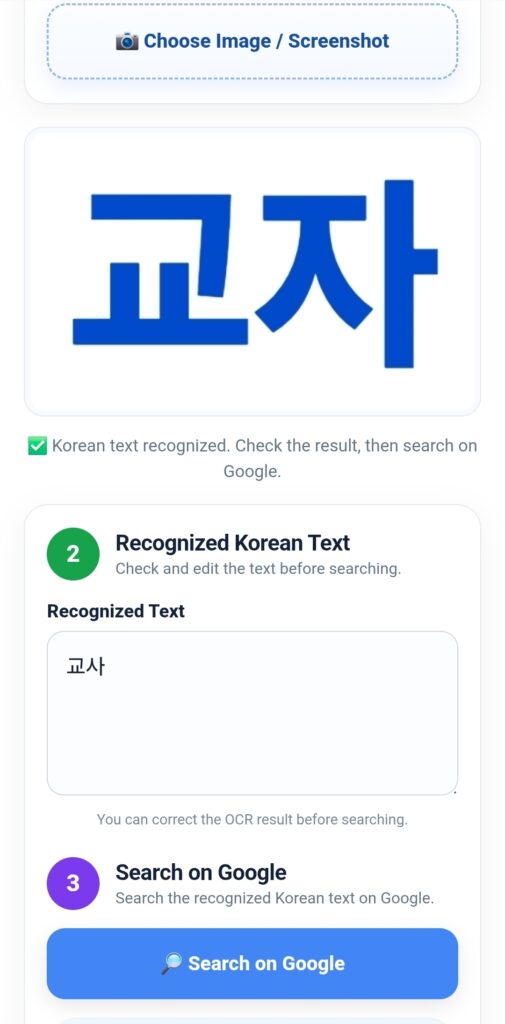
The tool automatically recognizes the Korean text in your uploaded image.
Step 4) Search on Google
Click the Search on Google button.
Google will search for the recognized Korean word or phrase, allowing you to learn its meaning and find related information or images.
Korean Image Search: Read Korean Text and Search on Google
Korean signs, restaurant names, menus, shop names, and addresses can be difficult to type when you are traveling in Seoul. This tool lets you upload a photo or screenshot, recognize the Korean text in your browser, check the result, and search it on Google.
How to Use Korean Image Search
When traveling in Korea, you may find Korean words that are difficult to type or search for. You may see a Korean restaurant name on a sign, a Korean address on a website, information on a menu, a subway station name, or the name of a tourist attraction. If you cannot read or type Korean, searching for that information can be difficult. Korean Image Search makes this process easier by allowing you to use a photo or screenshot instead of typing Korean manually.
Step 1. Prepare an Image Containing Korean Text
First, prepare a photo or screenshot containing the Korean words you want to search for. You can use a photo taken with your smartphone camera, a screenshot from a website, an image from social media, or another saved image. For example, you can capture a Korean restaurant name, store name, street address, tourist attraction, subway station, Korean food name, or Korean notice. If you are browsing a Korean website and find a place you want to visit, simply take a screenshot of the Korean name or address.
Step 2. Upload the Image
Open the Korean Image Search tool and select the image upload area. On a smartphone, you can normally select an image from your photo gallery. Depending on your device, you may also be able to take a new photograph. For the best OCR result, use an image where the Korean text is clear and easy to read. A sharp screenshot or a well-focused photograph generally works better than a dark, blurry, or very small image. If the image contains a lot of unnecessary information, cropping the image so that the Korean text is easier to see can improve recognition.
Step 3. Start Korean OCR
After you upload an image, the tool processes it and recognizes the Korean characters. This process is called OCR (Optical Character Recognition). OCR converts text contained in an image into digital text that you can read, edit, and search. The Korean Image Search tool performs the OCR processing in your browser. Depending on the image size, image quality, and performance of your phone or computer, recognition may take a little time. Please wait until the process is completed.
Step 4. Check and Edit the Recognized Korean Text
After OCR is finished, the recognized Korean text appears in the text box. This step is important because OCR is not perfect. Korean characters may occasionally be recognized incorrectly, especially when the original image is blurry, the text is very small, the font is unusual, or several characters are close together. A restaurant name or address may contain just one incorrect character, so always check the result before searching.
You can click inside the text box and manually correct any characters that appear to be incorrect. This is especially important when searching for restaurant names, store names, addresses, subway stations, hotels, and tourist attractions. Correcting even one or two characters can sometimes produce much more useful Google search results.
Step 5. Search on Google
Once you have checked the Korean text, press the Search on Google button. The tool opens a Google search using the recognized or corrected text. You do not need a Google Search API to use this function. The tool simply opens a normal Google search page with the text you entered. This keeps the feature simple and practical for travelers.
For example, suppose you see the Korean restaurant name 교자. You can take a photograph of the restaurant sign or use a screenshot containing the name. After OCR recognizes the Korean text, check the result, correct it if necessary, and then select Search on Google. Google can then show information related to that Korean name, including websites, reviews, articles, images, and other available search results.
Step 6. Use the Google Results to Find More Information
After Google opens, you can use the search results to learn more about the place or information you found. If you are looking for a Korean restaurant, for example, you may find its location, reviews, opening information, menus, photographs, and other available information. If you found a Korean tourist attraction, searching its original Korean name can help you discover additional information that may not appear when searching only with an English translation.
Travel tip: Korean business and place names are often best searched using their original Korean spelling. If OCR makes a small mistake, correct the text before searching. The goal of this tool is not to translate the Korean text automatically, but to make it easy for international travelers to search Korean text that they cannot conveniently type.
A Useful Example for Travelers
Imagine that you are walking around Seoul and see a restaurant that looks interesting. The restaurant sign is written entirely in Korean, but you do not know how to type Korean on your phone. Instead of trying to enter the name manually, take a photograph of the sign. Then follow these simple steps: open Korean Image Search → upload the photograph → wait for Korean OCR → check the recognized name → correct the text if necessary → click Search on Google → review the search results. This allows you to search for a Korean business without knowing how to type Korean.
What Can You Search?
- Korean restaurant names
- Café and shop names
- Korean food names
- Tourist attractions and landmarks
- Korean street addresses
- Subway station names
- Hotel and accommodation names
- Place names from screenshots
- Korean text from travel websites or guides
- Korean signs, notices, and advertisements
How to Get Better OCR Results
For better recognition, use a clear image with large, sharp Korean characters. Avoid strong reflections, motion blur, heavy shadows, or extremely small text. If possible, photograph the text straight on rather than from a steep angle. Cropping the image around the Korean text can also make recognition easier. A clean screenshot is often particularly useful when the Korean text comes from a website or mobile application.
Why Search Using the Original Korean Name?
When searching for a local Korean restaurant, store, attraction, or other place, the original Korean name can sometimes be more useful than an English translation. A Korean business may be officially registered online using its Korean name, and local websites and listings may use that exact spelling. Searching the original Korean text can therefore help you find the specific place you are looking for. This is particularly useful when you discover a place from a Korean website, Korean social media post, restaurant sign, menu, or local advertisement.
Designed for Real Travel Situations
Korean Image Search is designed to solve a simple problem that international visitors may experience in Korea: “I can see the Korean name, but I do not know how to type it.” Instead of manually typing Korean, you can use an image. Take a screenshot, photograph the sign, upload the image, check the OCR result, and search it on Google.
This can be useful while exploring Myeongdong, Hongdae, Insadong, Bukchon, Gangnam, Dongdaemun, Seongsu, Gwangjang Market, and other areas of Seoul where you may frequently encounter Korean-only signs, restaurant names, addresses, and local information.
Quick Guide
Image → Korean OCR → Check Text → Search on Google
That is all you need. Korean Image Search is intended to be a simple travel tool that helps international visitors search for Korean places and information without having to type Korean manually.
Do I need a Google Search API?
No. This tool opens a normal Google search using the recognized text. No Google Search API is required.
Can I edit the recognized Korean text?
Yes. You can edit the OCR result before pressing the Google Search button. Checking the result is recommended, especially for names and addresses.
Can I use it on a phone?
Yes. The interface is designed for mobile browsers as well as desktop browsers, making it useful while traveling in Seoul.
Does the tool automatically translate Korean into English?
No. The main purpose of this tool is to recognize Korean text and make it searchable on Google. You can edit the Korean text before searching.
What should I do if the OCR result is incorrect?
Try a clearer image, crop the image around the Korean text, or manually correct the recognized text in the text box before searching.